


Avast Free AntiVirus vs Microsoft Defender: Which One Should You Use?
By Corporal Punishmenton 01/29/2026 |
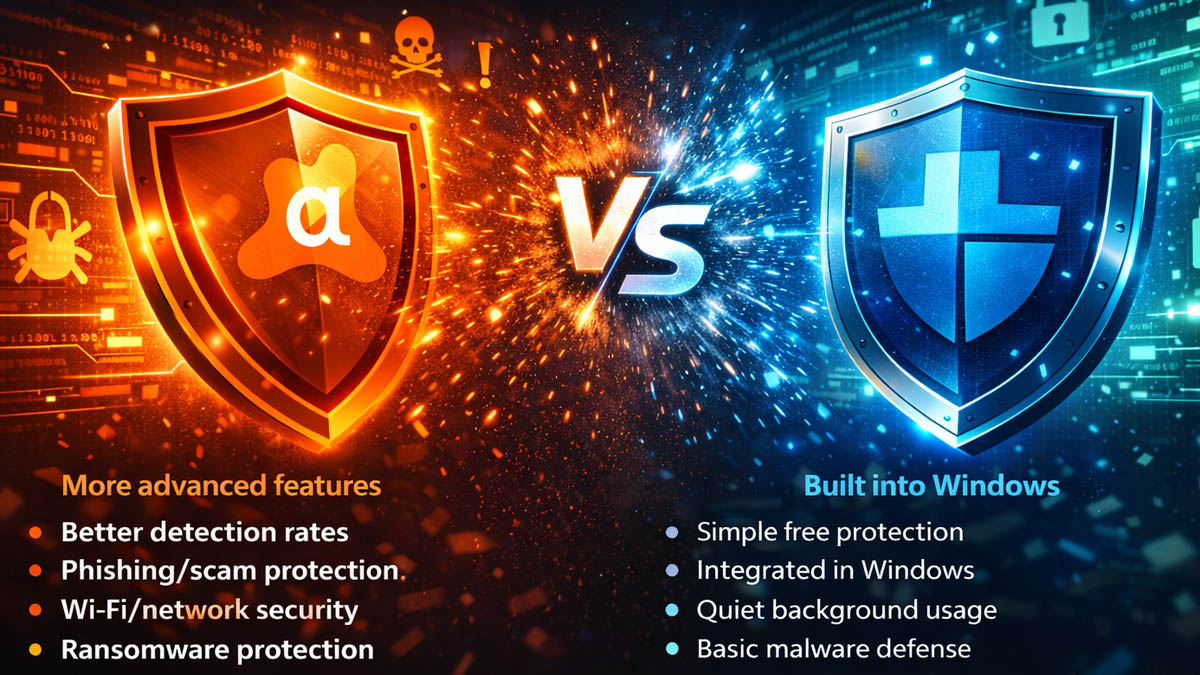
For years, Microsoft Defender has been the default antivirus software for users, mainly it because it comes pre-installed with Windows, is backed by Microsoft, and let's face it, users can be lazy and not look for change if they don't see a reason to. Additionally, it's worth noting that Defender has undergone significant improvements over the last few years. It's quiet, built-in, and it blocks the common everyday threats most people run into.
It evolved into something genuinely good, and that has compelled the other antivirus players to improve if they want to stay in the game.
That said, after testing the latest Avast Free AntiVirus, we feel they have really stepped up. The program is smooth, fast, and consistent. We fell in love with its ability to catch phishing attempts, web scams, and shady downloads before they became a problem. Defender handles the basics, but Avast adds layers that actually help prevent you from getting tricked in the first place. Here's some of our notes.
Cost and Setup
Microsoft Defender costs nothing and comes with Windows. No install, no setup, no decisions to make. It's integrated into Windows on install.
Avast Free is also free, but you must first download and install it. Afterwards, you are immediately rewarded with more tools and safety nets.. You can use Avast Free Antivirus for as long as you need without upgrading. If you are into higher-level security tools like sandboxes, VPN, and data shredding, Avast offers premium subscriptions, keeping everything in one suite of tools in a straightforward upgrade that doesn't feel like a cash grab.
Ease of Use and Results
Performance was nearly identical between the two; both run quietly on modern PCs. We ran both on an older I7 6700 with 16 Gig of RAM, with no noticeable performance issues—besides the fact that it is an I7 6700 with 16 Gig of RAM.

Defender hides in Windows' menus and largely runs on autopilot. This is great if you want invisible protection, but adjusting settings can feel a little bit like a treasure hunt. Avast puts controls front and center with an icon in the system tray. Running scans, checking your Wi-Fi, or reviewing the threat log is just one click away. During testing, that visibility was genuinely helpful.
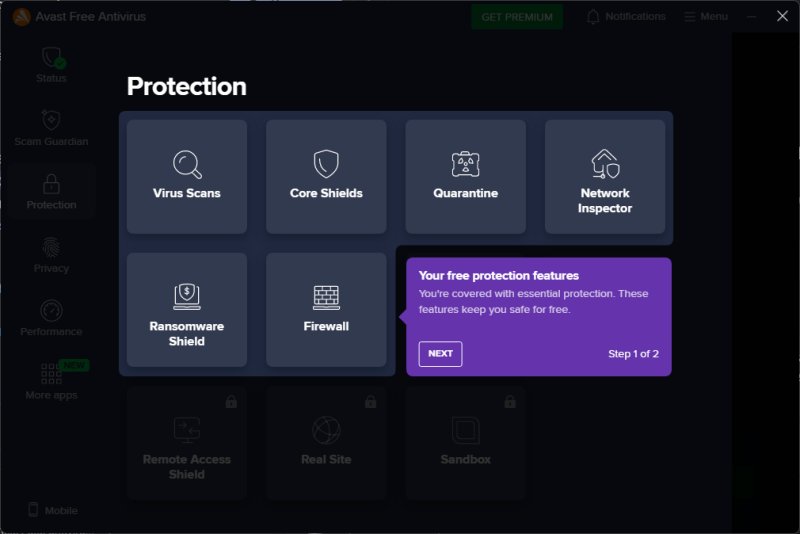
Ease and accessibility is great, but an AV product must protect against viruses; otherwise, it is pointless, right? According to AV-Comparatives Malware Protection Test (March 2025), Avast scored higher detection rates and had fewer false positives compared to Microsoft Defender (and nearly every other AV product). This lines up with our real-world testing. Avast caught what needed to be caught, but, as importantly, didn't keep bogging us down with dreaded false positives, which are the bane of the freeware industry.
What Avast Free Has That Defender Doesn't
Defender is good at a lot of things, but where Avast really begins to separate itself is in the extras it offers. Instead of just waiting to react when something bad hits your computer, it works to keep you from stepping into trouble in the first place.
For example, Avast includes web that follows you across all browsers, not just Microsoft Edge. Whether you spend your time in Chrome, Firefox, Brave, or something more obscure, it keeps an eye out for fake login screens, suspicious download prompts, and scam sites designed to trick you at a glance. It also features a built-in assistant that monitors for suspicious links in messages. You know, those fake delivery notices, surprise password resets, and "your account has been suspended" claims that aim to prompt panic-clicking.
Defender has Smart Screen, which is a reputation-based system that works well in Chrome, but to take full advantage of anti-phishing, you need an additional browser extension.
Avast also monitors your network. Its Wi-Fi Inspector takes a look at your router setup and the devices connected to it, calling out weak passwords, open guest networks, or mystery devices borrowing your signal. It's a small thing, but it's the kind of day-to-day security that makes a difference long before malware gets involved.
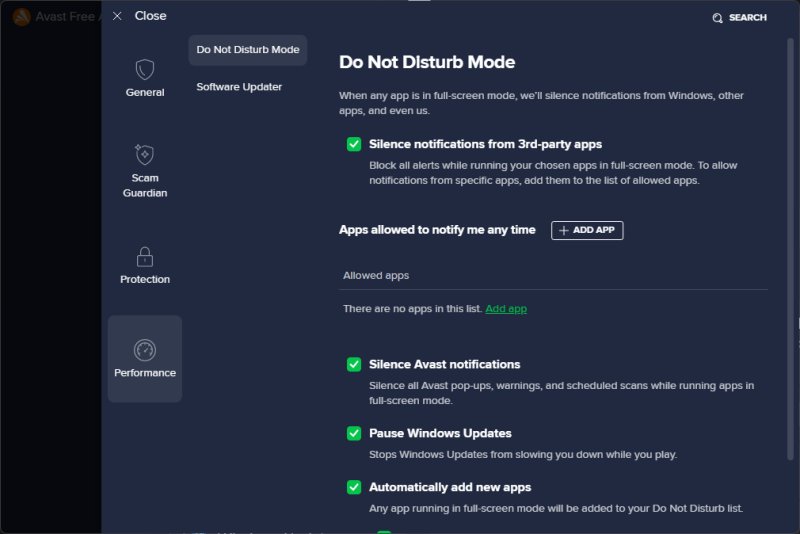
The Do Not Disturb mode is pretty sweet too, especially if you are gaming or presenting. Just open Avast, click Menu, Settings, and go to Performance. Once enabled, it stops Avast pop ups and prevents the Windows notification bar from stealing focus. It also reduces background scanning, which can help prevent those annoying FPS stutters caused by sudden CPU or disk spikes during checks or updates. It keeps everything quiet so you can stay focused.
Microsoft Defender, by comparison, sticks to the fundamentals. It blocks malware, runs a firewall, and offers basic ransomware protection. It does the job. It just doesn't go out of its way to help you avoid the bad stuff before it happens.
Ransomware Protection: Real-World Testing Notes
During testing, we looked specifically at the protected folder features in both programs, which we feel is a very important feature for users. Protected Folders are folders that your security software actively locks down so suspicious or untrusted programs cannot change, delete, or encrypt the files inside them. They exist mainly as ransomware protection.
Ransomware works by sneaking in and encrypting your documents, pictures, etc. Protected Folder systems prevent that by saying: "Only programs we trust are allowed to touch these files. Everything else gets the boot.
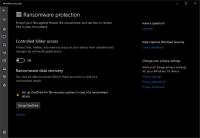
Microsoft Defender includes Controlled Folder Access (Settings > Privacy & Security>Manage Ransomware Protection), which is a strong ransomware shield, but it is turned off by default. You only get basic ransomware defense unless you dig in and enable it manually. And once you do turn it on, it becomes very aggressive, blocking almost anything that tries to modify files in protected folders. You'll likely end up manually approving apps and getting frustrated, especially if you use utilities, editors, mods, or portable tools (which MajorGeeks users often do).
Avast, on the other hand, has its ransomware protection enabled by default. It also offers more flexible controls, letting you decide how strict it should be and which apps are allowed to touch your important files. It felt easier to live with during day-to-day use, and it required fewer interruptions to get things done.
Which One Should You Use?
Stick with Microsoft Defender if: You want simple, no-interaction security and don't care about extras.
Choose Avast Free if: You want better phishing protection, scam detection, Wi-Fi security, and ransomware protection that works without setup.
Bottom Line
Microsoft Defender is very good. But Avast Free Antivirus is objectively better. It has better detection and fewer false positives. stronger real-time phishing defense, built-in ransomware protection that's works very well and helpful extras you'll actually use. If you decide you want more later, Avast Premium completes the package at a reasonable cost, keeping your security suite in one manageable package.
